By Rachel Bennett April 6, 2026
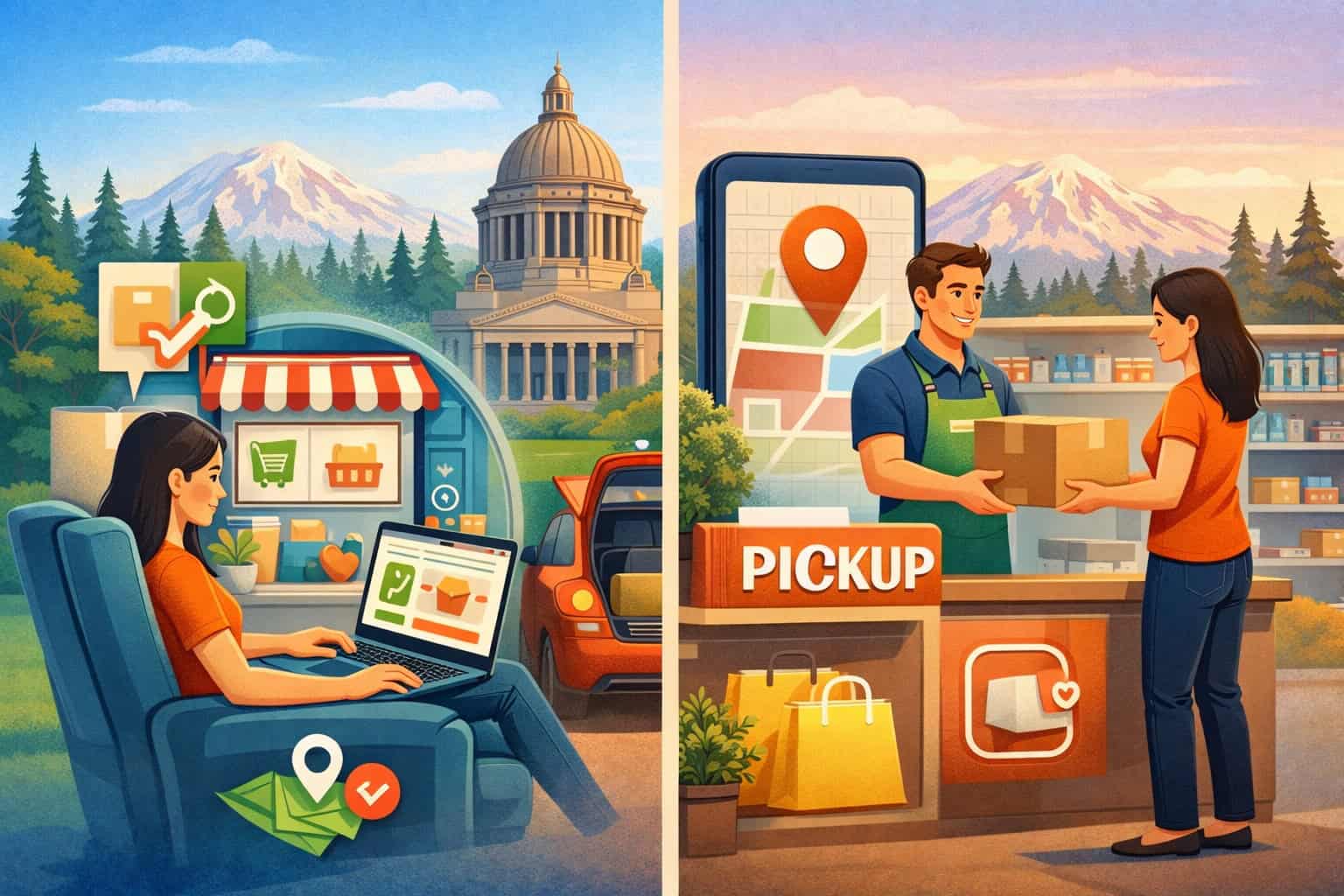
Buy-online-pick-up-in-store has become one of the most practical fulfillment options in modern retail because it sits between fast local convenience and the control of in-store operations. Customers like the ability to shop on their own time, confirm product availability, pay ahead, and avoid waiting for home delivery.
Retailers like it because it can reduce shipping friction, move inventory faster, and create another reason for shoppers to visit the store. In Washington’s competitive retail environment, that mix of convenience and operational efficiency makes BOPIS more than a trend.
It has become a practical retail service model that many shoppers now expect from stores across apparel, gifts, electronics, home goods, specialty retail, and grocery-adjacent categories.
For store owners and managers, though, BOPIS is not just about turning on a website setting and waiting for orders. A successful pickup program depends on inventory accuracy, consistent staff execution, clear customer communication, reliable payment handling, and a pickup order workflow that holds up during busy periods.
When those pieces work together, BOPIS can support omnichannel retail fulfillment without making daily operations harder than they need to be. When they do not, it can create confusion, missed sales, customer complaints, and extra labor.
That is why the most effective BOPIS retail solutions for Washington State are built around process discipline, not just software features.
This guide explains how BOPIS for Washington retailers works, why it matters, what systems and procedures support it, where stores commonly struggle, and how to launch or improve a pickup program in a way that is practical for real retail environments.
Whether you run one shop or several locations, the goal is the same: make pickup easy for customers and manageable for staff.
What BOPIS Means in Real Retail Operations
At its core, BOPIS means a customer places an order online and picks it up at a physical store instead of having it shipped. The item is reserved or allocated to that customer, staff prepare the order, the customer receives a pickup notification, and the order is handed over in the store or at a designated pickup point.
In many retail settings, that sounds simple. In practice, it is an operating model that connects e-commerce, point-of-sale activity, inventory records, store labor, communication tools, and customer service.
That distinction matters because BOPIS is not the same as ordinary e-commerce shipping. With shipping, the main operational pressure is packing and carrier handoff.
With BOPIS, the pressure shifts toward local execution: accurate stock levels, quick picking, careful staging, and a smooth customer arrival experience. The order must be visible to the store team, reserved correctly in the system, and ready when promised.
BOPIS also differs from curbside pickup for retailers. Curbside pickup usually means the customer stays outside, checks in by text, app, or phone, and staff bring the order out to the vehicle.
BOPIS usually assumes the customer comes inside or to a designated pickup area, even though many stores blend the two models. The distinction is important when setting procedures because curbside requires arrival alerts, parking logistics, and handoff protocols that are different from standard in-store pickup systems.
Traditional in-store shopping is different again. In a normal store visit, the customer browses, makes a selection, and leaves with the item immediately.
In a click and collect retail model, the shopping decision happens first online, and the store’s role becomes fulfillment, communication, and final handoff. That means the sales floor is no longer just a shopping space. It becomes part of an omnichannel fulfillment engine.
How the BOPIS workflow usually looks from order to handoff
A practical pickup order workflow typically follows a repeatable sequence. The customer shops online, sees available pickup options, chooses a store, completes payment, and receives confirmation.
The order then appears in the retailer’s system, inventory is reserved, staff pick the item, verify condition and quantity, and stage it for pickup.
Once it is ready, the customer receives a message with pickup instructions and timing. At arrival, staff verify the customer identity or order details, hand over the items, and complete the transaction in the system.
The details inside that sequence matter more than many retailers expect. For example, when exactly does inventory get decremented? Is the item reserved at checkout or only after staff confirm it is actually on hand? Who gets the order alert first: a store tablet, the POS back office, the manager email, or a shared fulfillment queue? What happens if the customer arrives before the order is ready, or if the system says one unit is available but the item cannot be found?
Those operational decisions shape customer trust. If a store promises pickup in two hours, but the order sits unnoticed in an inbox for four hours, the problem is not just slow service. It is a breakdown in the local retail pickup strategy.
BOPIS succeeds when the workflow is designed for real-world conditions, including rush periods, staffing gaps, misplaced merchandise, and customers who need help at pickup.
Why BOPIS is part of omnichannel retail fulfillment, not just a website feature
Many retailers first think about BOPIS as a convenience option on the checkout page. That is understandable, but incomplete. BOPIS is an omnichannel retail fulfillment function because it connects online demand to store-based execution.
A store offering pickup is effectively promising that its digital storefront, inventory records, payment process, and in-person service are aligned well enough to support a single customer journey.
That is why BOPIS systems for retailers often involve more than an e-commerce platform alone. The website or shopping cart may capture the order, but the store still needs inventory synchronization, fulfillment alerts, order staging tools, customer messaging, and pickup confirmation workflows.
If those pieces live in separate systems that do not share data smoothly, staff end up doing manual workarounds that create risk.
This is also why many Washington retailers evaluating their broader operations look at their POS and payments setup as part of the BOPIS equation. Resources on affordable POS options for Washington retailers, payment processing trends for Washington businesses, and POS systems for multi-location businesses in Washington are useful because pickup readiness often depends on whether your systems can support real-time visibility, cross-channel coordination, and consistent customer records.
Why BOPIS Matters for Washington Retailers
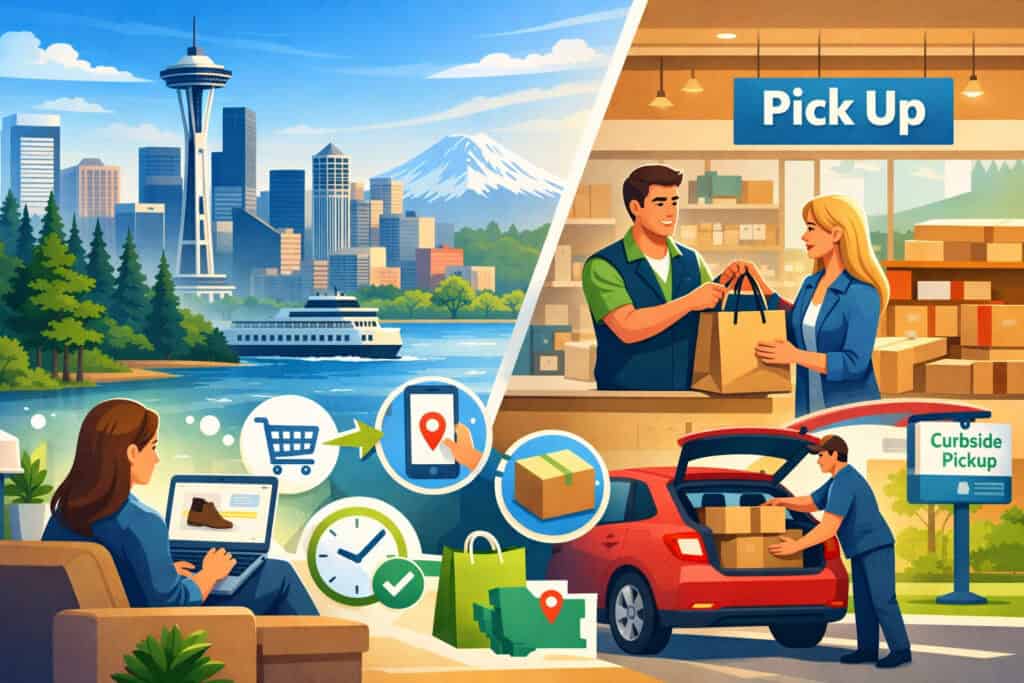
For many retailers across Washington, BOPIS aligns well with how customers want to shop: quickly, flexibly, and with as little uncertainty as possible. A shopper may want to secure a product online during a lunch break, pick it up after work, avoid delivery fees, and confirm the item is actually available before making the trip.
That behavior is especially relevant in areas where shoppers balance commutes, weather, neighborhood traffic, family schedules, and a preference for getting items the same day rather than waiting for shipment.
From the retailer’s side, BOPIS can make local inventory more productive. A unit sitting on a store shelf can be sold digitally without going through parcel shipping.
That can reduce packing materials, lower last-mile friction, and help the store compete more effectively against larger online sellers. It can also create foot traffic from people who might buy accessories, add-on items, or seasonal products when they arrive to collect the order.
BOPIS for Washington retailers also supports local shopping behavior in a way that pure shipping does not. It gives customers a reason to choose a nearby store instead of ordering from a distant seller.
For categories where timing matters, such as apparel for an event, a gift needed the same day, replacement electronics accessories, or a last-minute household item, pickup can remove the hesitation that often kills an online sale.
Just as important, BOPIS can help retailers bridge the gap between digital convenience and in-person service. A customer may discover a product online, complete the transaction digitally, and still have questions at pickup.
That gives store teams a chance to solve fit issues, explain product use, recommend complementary items, or handle a quick exchange before frustration develops. In that sense, BOPIS is not just about fulfillment speed. It is also about keeping customer relationships local and responsive.
Customer convenience and reduced shipping friction
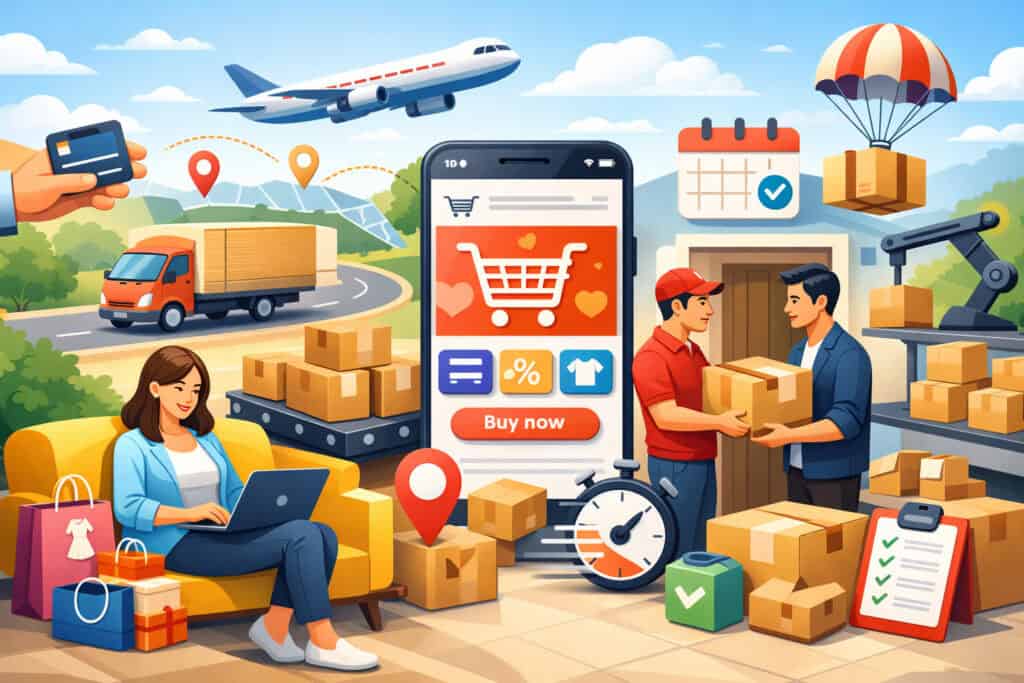
One of the biggest reasons retailers adopt BOPIS is that it solves several customer frustrations at once. Shipping can add cost, delay, uncertainty, and missed-delivery risk. Customers may not want to wait several days, may be worried about package theft, or may simply prefer the certainty of getting the item on their own schedule.
Buy online pick up in store Washington shoppers often choose pickup because it gives them more control over timing and less dependence on carrier performance.
That control can be especially valuable for items that are needed quickly or bought for a specific purpose. A parent ordering a school event outfit, a traveler replacing a charging cable, or a customer buying a gift on short notice may care less about home delivery and more about knowing the item will be available later that day. BOPIS addresses that need directly.
For the retailer, this also reduces some of the hidden costs that come with shipping-focused fulfillment. Packing supplies, split shipments, re-ships after delivery issues, and carrier claims all create labor and expense.
Pickup shifts more of the fulfillment process into an environment the store can control. That does not eliminate costs, but it changes them into labor, process, and systems costs that are often easier to manage locally.
In-store upsell opportunities and stronger local customer relationships
Retailers often hear that BOPIS can increase add-on sales, and that is true, but it only happens when the pickup experience is intentional. If the customer walks in confused, waits too long, and leaves irritated, there is little chance of an additional sale.
If the pickup process is quick and well organized, staff have a better opportunity to build rapport and point customers toward useful related products.
Apparel retailers might suggest a matching accessory or another size if the shopper wants to check fit. A gift shop can present wrap, greeting cards, or seasonal extras near the pickup zone. Electronics stores can recommend cables, cases, batteries, or warranties.
Home goods stores can use pickup visits to surface complementary items that are already merchandised nearby. The goal is not to turn pickup into a hard sell. It is to make the in-store moment useful.
BOPIS can also strengthen trust when a customer sees that the local store has what it promised, prepared the order correctly, and made pickup easy. That kind of operational reliability matters.
It teaches customers that the store is not just a place to browse in person, but a dependable local fulfillment option. Over time, that can change shopping habits in the retailer’s favor.
The Operational Foundations Behind Successful BOPIS
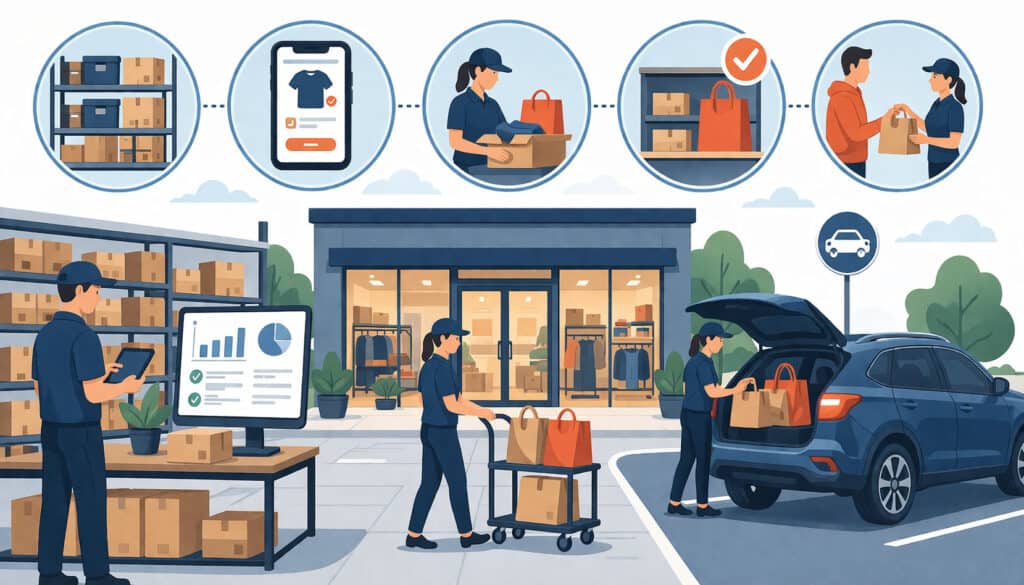
A reliable BOPIS program is built on a few non-negotiable foundations: inventory visibility, system integration, clear store workflows, customer notifications, and pickup procedures that staff can execute consistently.
Retailers do not need a complicated enterprise setup to make this work, but they do need operational discipline. Without that, BOPIS quickly becomes a source of avoidable friction.
Inventory visibility is usually the first make-or-break issue. If the website says an item is available for pickup but the store cannot find it, customer trust erodes immediately. That makes retail inventory synchronization a central requirement, not an advanced feature.
The more channels you sell through, the more important it becomes to ensure your POS, e-commerce system, and inventory records stay aligned closely enough to prevent overselling and phantom stock.
The next foundation is system coordination. Orders must reach the right people quickly, ideally through a central queue or notification system that is not dependent on one employee noticing an email.
Staff need a clear way to acknowledge orders, pick items, mark them as ready, and complete pickup. Customer messaging should reflect the real status of the order, not generic automation that tells shoppers to come in before the item has actually been staged.
Physical execution matters too. A store needs a pickup location, a staging method, and documented procedures for verification, handoff, timing, and exceptions. If none of that is standardized, store teams improvise, and customer experience varies by shift, day, and employee. That inconsistency becomes more visible as order volume grows.
Inventory accuracy, POS integration, and retail inventory synchronization
If there is one operational area where BOPIS breaks first, it is inventory accuracy. Retailers can tolerate small stock discrepancies in some environments, but BOPIS makes those discrepancies highly visible because customers are placing orders based on promised availability. Even a few bad experiences can teach shoppers not to trust the pickup option.
This is why BOPIS retail solutions for Washington State usually start with inventory discipline. Cycle counts, timely receiving, accurate returns processing, markdown controls, and shrink monitoring all affect BOPIS performance. If inventory is off because items are misplaced, unreceived, damaged, or still sitting in back stock, the digital storefront becomes unreliable.
POS integration matters because the point-of-sale system often acts as the source of truth for item records, sales activity, and stock movement.
When the POS and e-commerce platform sync poorly, retailers may see delayed inventory updates, duplicate records, or location-level confusion. Multi-location retailers have an even harder challenge because one store’s stock issue can affect pickup promises across the network.
A strong in-store pickup system does not necessarily require perfect real-time inventory for every retailer, but it does require enough accuracy and update frequency to support confident pickup commitments.
For some stores, that means near-real-time sync. For others, it means conservative availability rules, pickup buffers, or limiting BOPIS to items and categories that are easier to track reliably.
Pickup notifications, store workflows, and handoff procedures
Once the inventory issue is under control, the next foundation is communication and workflow. Stores need a simple method to receive pickup orders and move them through defined stages: new, picking, ready, picked up, cancelled, or returned to stock. Those stages help staff understand what is happening and help customers receive accurate updates.
Pickup notifications should be timed to real work, not just automated assumptions. Sending a “ready for pickup” message before the order has been checked and staged is one of the fastest ways to create unnecessary conflict at the service counter.
Just as important, confirmation messages should tell the customer exactly where to go, what hours apply, what to bring, and how long the order will be held.
Store workflows should also define who owns each step. In some stores, the cashier or floor associate picks orders. In others, a manager or designated fulfillment associate does it. What matters is clarity.
Orders should not linger because every employee assumes someone else is handling them. During peak periods, retailers may need separate coverage for picking, front-counter service, and curbside check-ins if they offer both options.
Handoff procedures should include order verification and status completion. The employee handing over the order should confirm the customer identity or order number, mark the order as collected in the system, and know how to handle immediate issues such as damaged packaging, gift receipt requests, or last-minute changes.
This is a small moment operationally, but it strongly shapes the customer’s impression of the whole BOPIS experience.
Common BOPIS Challenges and How Retailers Can Prevent Them
Most retailers do not struggle with the concept of BOPIS. They struggle with the execution details that pile up over time. Inaccurate inventory, delayed readiness, communication gaps, staffing pressure, storage limitations, and inconsistent returns handling can all undermine what should be a convenient service.
The good news is that most BOPIS problems are predictable. The better news is that predictable problems can be designed around.
A common mistake is assuming BOPIS is self-managing once the online checkout option is enabled. In reality, BOPIS needs operational oversight just like shipping, merchandising, or front-end service.
Order volume may fluctuate by daypart, category, weather, promotion, or holiday demand. A process that feels easy at five orders a day may strain badly at fifty.
Another challenge is variability between stores or staff members. One location may pick orders promptly and send excellent notifications, while another location forgets to mark items ready or stages them in a hard-to-find area.
That inconsistency is especially risky for multi-location retailers, because the customer usually sees one brand, not separate operational cultures.
The best approach is to treat BOPIS as a repeatable operating process with standards, exceptions, and metrics. Instead of asking whether the program is “on,” ask where it is vulnerable. Is it inventory? Labor? communication? queue visibility? customer verification? The answer will tell you where to tighten procedures before issues become common.
The most frequent operational breakdowns
In many stores, inaccurate inventory sits at the top of the problem list. The website accepts an order, but the item cannot be found, was stolen, was sold earlier, or was never received into stock properly. That forces a cancellation or substitution conversation that disappoints the customer and creates extra work.
The second common issue is delayed pickup readiness. Orders may enter the system correctly but get lost in a busy store environment. During rush periods, associates prioritize walk-in shoppers, register lines, and stocking tasks, while pickup orders wait too long. Customers then arrive before their order is staged, creating tension that feels avoidable to everyone involved.
Customer communication gaps are another major challenge. Messages may be unclear, incomplete, or mistimed. The customer may not know whether to go to the main register, a service desk, a side entrance, or a designated pickup area.
If curbside is available, they may not know how to check in. Even a short delay can feel longer when the customer is uncertain about what happens next.
Space constraints also matter more than expected. Small stores may not have a secure, organized area for staged orders. Bags get mixed up, oversized products clog back-room pathways, and staff waste time searching for items that were already picked.
Returns and exchanges add another layer of complexity, especially when the original order was placed online but the problem is discovered at pickup.
A practical view of challenges and solutions
| Common BOPIS challenge | What usually causes it | Practical solution |
| Order accepted for unavailable item | Poor inventory sync, shrink, receiving errors | Tighten cycle counts, reduce pickup assortment, add stock buffers |
| Customer arrives before order is ready | Delayed picking, premature notifications | Only send ready alerts after staging and verification |
| Staff miss or ignore pickup orders | No central queue or ownership | Use a dedicated order dashboard and assign shift responsibility |
| Pickup takes too long | Confusing staging, no handoff process | Organize staged orders alphabetically or by order number |
| Customer does not know where to go | Weak confirmation messaging or signage | Add clear instructions in email/SMS and in-store wayfinding |
| Returns create confusion | No policy for online-to-store returns | Document return paths and train staff on exception handling |
| Fraud or unauthorized pickup | Weak ID checks or manual overrides | Require order number plus ID or alternate approved verification |
| Unclaimed orders pile up | No hold policy or expiration workflow | Set hold windows, reminders, and restocking rules |
This table reflects a larger truth about BOPIS systems for retailers: most failures are not random. They emerge where process accountability is weak. Once a retailer identifies the recurring failure points, the fixes are usually straightforward, even if they require discipline to maintain.
How to Set Pickup Windows, Cutoffs, Verification Rules, and Exception Policies
BOPIS gets easier to manage when expectations are specific. Retailers should define pickup windows, order cutoffs, customer verification requirements, substitution rules, and unclaimed order procedures before volume grows. These details may feel administrative, but they directly affect labor planning, customer satisfaction, and risk control.
Pickup windows help retailers avoid overpromising. Not every order can or should be “ready in one hour.” Some stores can support that. Others need same-day or next-day windows depending on staffing, store size, item complexity, or order volume. The right answer is the one your team can deliver consistently.
Order cutoffs are equally important. If the store closes at 7 p.m., does an order placed at 6:40 qualify for same-day pickup?
If not, the website and messaging should make that clear. Without cutoff logic, customers assume the fastest possible scenario, and staff absorb the consequences. Cutoffs are not just about convenience. They are about protecting execution quality.
Verification rules matter for both service and fraud prevention. Staff need to know what counts as adequate proof: order number, email confirmation, government-issued ID, a named alternate pickup person, or a QR code. The policy should be practical enough to avoid frustrating honest customers but strong enough to prevent accidental or unauthorized handoff.
Setting pickup timing that reflects your real operation
A realistic pickup promise depends on several factors: picking time, store layout, product location, staffing levels, quality checks, and the volume of incoming orders. A small gift shop with a compact floor and one online order every hour may comfortably offer fast pickup.
A home goods store with back-room storage and large products may need more time. A boutique with limited staffing may want to disable short windows during peak shopping hours.
Retailers should also think in terms of service tiers. For example, certain categories may qualify for quicker pickup because they are easy to locate and stage.
High-value items, personalized goods, fragile merchandise, or items stored off the floor may need longer lead times. The customer does not need to know every internal reason. They simply need a clear, credible promise.
Stores that want to balance convenience and capacity often define pickup windows such as “within two hours,” “same day by close,” or “next business day.” These windows can be adjusted during promotions or holidays. What matters most is consistency. A slightly slower but reliable promise usually creates less friction than a faster promise that is routinely missed.
Retailers should also define order cutoff rules around store closing, holidays, and staffing-limited periods. If same-day pickup ends at a certain hour, that should appear clearly online and in confirmation messages. That way customers know whether they are selecting pickup for today or tomorrow.
Handling substitutions, out-of-stocks, and unclaimed orders
Substitutions are common in some retail sectors and uncommon in others. Grocery-adjacent stores may sometimes substitute equivalent products with approval.
Apparel, gift, electronics, and specialty retailers usually should not substitute without direct customer consent because size, style, brand, color, or compatibility often matters. The rule should match the product category.
When an item is unavailable after order placement, staff need a documented next step. That may mean contacting the customer with options: partial cancellation, alternate color or variant if acceptable, transfer from another store if possible, or full refund. What matters is speed and clarity. Waiting too long turns an inventory mistake into a service failure.
Unclaimed orders need a hold policy. Most retailers benefit from defining how long an order will be held, whether reminder messages will be sent, and when items return to stock. Without that policy, staged orders accumulate, inventory stays reserved too long, and staff eventually improvise inconsistent decisions.
A practical hold workflow often includes one reminder before expiration and one final notification that the order will be cancelled or restocked if not collected. The exact timing can vary by product category, store hours, and demand pattern.
High-demand seasonal items may justify shorter holds. Specialty orders may justify longer ones. The key is consistency and system visibility so restocking happens cleanly and the customer record reflects the final outcome.
The Role of BOPIS Systems for Retailers
Technology does not replace processes, but it can make BOPIS dramatically easier to run when chosen well. The best BOPIS systems for retailers support a few core functions: inventory synchronization, location-level availability, order management, staging visibility, pickup alerts, barcode scanning, and customer messaging.
Retailers do not always need a massive software stack. They do need tools that reduce manual work and keep staff looking at the same source of truth.
Inventory sync tools help ensure that online availability reflects in-store stock closely enough to support pickup promises. Order management systems help route new orders, update status, and surface exceptions.
Messaging tools keep customers informed without forcing staff to send every update manually. Barcode scanning can speed picking and verification, especially when item names are similar or order volumes increase.
For many stores, the question is not whether they need technology. It is whether the systems they already have can support BOPIS effectively. A retailer may already have a POS, shopping cart, payment gateway, and customer email tool.
The real issue is whether those tools coordinate smoothly enough to support in-store pickup systems without excessive manual workarounds.
That is especially relevant for stores with more than one location. If each store handles inventory differently or if the online catalog is not tied clearly to location-level stock, pickup becomes risky. A multi-store operation often needs stronger order routing, clearer location controls, and better visibility into where inventory actually sits.
What to look for in BOPIS retail solutions for Washington State
Retailers evaluating BOPIS retail solutions for Washington State should focus less on feature overload and more on operational fit.
A useful system should show whether an item is available at a specific store, reserve inventory appropriately, and create a clear status path from order placed to order collected. It should also support customer notifications that reflect actual order progress.
A few practical features matter more than others:
- Store-level inventory visibility
- Order status tracking
- Ready-for-pickup alerts
- Barcode or QR-based order verification
- Ability to assign or queue orders by location
- Customer messaging templates with clear pickup instructions
- Reporting on pickup volume, delays, cancellations, and completion time
- Exception handling for cancelled, partially fulfilled, or unclaimed orders
Retailers should also pay attention to the payment side of the stack. BOPIS can blur the line between e-commerce and in-store service, so the payments workflow needs to support clean refunds, order adjustments, and recordkeeping.
Launching BOPIS without overcomplicating operations
Small and mid-sized retailers often assume they need sophisticated enterprise tools before they can offer BOPIS. Usually they do not. They need a manageable process, a dependable stock file, and a small set of tools that staff will actually use consistently.
For example, a single-store boutique may launch BOPIS successfully with an integrated POS and e-commerce platform, automated confirmation emails, one shared pickup staging area, and a documented daily order routine.
That is enough if inventory is disciplined and staff know the process. Problems usually begin when retailers add complexity too early, such as offering ultra-fast windows, unclear curbside options, or wide pickup availability across hard-to-track products.
A practical rollout often starts narrow. Limit BOPIS to one location or a selected category. Offer reasonable pickup windows. Use standard messaging. Review each order exception. As staff build confidence, the retailer can expand to more categories, faster windows, or more locations.
Customer Experience Best Practices for In-Store Pickup Systems
A well-run BOPIS program feels easy from the customer’s perspective. That does not happen by accident. It comes from clear instructions, good signage, realistic expectations, and trained staff who know how to manage pickup interactions smoothly.
Because the customer has already paid or committed online, pickup should feel like the final confirmation that the retailer keeps promises.
The most important customer experience principle is clarity. Customers should know when the order is ready, where to go, what to bring, what the hours are, and what to do if they want someone else to collect the order.
If curbside pickup for retailers is also available, that process should be explained separately so customers do not assume every store visit follows the same steps.
Signage matters more than many stores expect. A customer who walks in and cannot tell where pickup happens starts the interaction in a confused state. Even a simple sign at the entrance or service counter can reduce questions, shorten wait times, and make the process feel more intentional. In small stores, signage can be minimal. In larger stores, it should be unmistakable.
Staff training matters just as much. The employee handling pickup should know how to verify the order, find the staged merchandise quickly, answer questions, process immediate issues, and maintain a friendly but efficient tone. Pickup is often brief, but it is still a customer service interaction.
Confirmation messaging, arrival expectations, and pickup instructions
Good messaging begins at checkout. The customer should see whether pickup is available, how long it will take, and where the order will be collected. After the order is placed, the confirmation message should separate “order received” from “ready for pickup.” Those are not the same thing, and customers should never have to guess.
When the order is ready, the message should include practical details:
- Pickup location in the store
- Store hours
- What to bring for verification
- Whether a third party can pick up
- How long the order will be held
- What to do if the customer has questions
If the store offers curbside, the message should also explain how to check in, where to park, and what identifying details staff should look for. A separate set of instructions prevents confusion between in-store pickup and curbside handoff.
Wait-time expectations also matter. If pickup is likely to require a short line or a brief retrieval delay, say so. Customers are more patient when they know what to expect. They are less patient when silence makes them assume the store has forgotten them.
Signage, pickup space, and staff training
Signage should guide the customer from entrance to handoff. Depending on store size, that may include a door decal, a counter sign, hanging markers, or floor signage. The wording should be direct.
Do not make customers decode internal language. “Online Order Pickup” is clearer than a branded phrase that only employees understand.
The physical pickup space should support speed and order control. Retailers do not need a large dedicated area in every case, but they do need a secure and organized staging setup.
Orders should be easy for staff to locate without searching through unrelated merchandise. Alphabetical sorting, order-number bins, or category-based staging can all work if the system is consistent.
Training should cover both routine and exceptions. Employees need to know not only how a normal pickup works but also what to do when a customer wants to add an item, exchange a size, send a spouse to pick up, return part of the order, or dispute the pickup timing.
Short scenario-based training often works better than a thick manual because it mirrors the situations staff actually face.
Returns, Exchanges, Fraud Prevention, and Payment Workflows
BOPIS creates a mixed-channel transaction, which means returns, exchanges, fraud prevention, and payment handling need extra attention.
The customer may place the order online, but the issue often surfaces in person. If the retailer has not defined how those situations will be handled, staff end up improvising, and the customer experience becomes inconsistent.
Returns are a common pressure point. Customers may assume that an online order picked up in-store can be returned immediately at the counter, and many retailers do allow that. Others require the order to be closed first or handled through a separate process.
Whatever the policy is, staff need to know it, and the systems need to support it without creating duplicate transactions or reporting confusion.
Exchanges can be even trickier. An apparel customer may pick up an online order, try it on mentally or physically, and want a different size right away. A home goods customer may decide the color is wrong.
A specialty retailer may need to exchange for a different SKU. If the POS, e-commerce records, and inventory counts are not aligned, these routine moments can become frustratingly slow.
Fraud prevention matters because BOPIS removes shipping risk but adds handoff risk. The item is not going through a carrier, yet the retailer still needs to confirm that the person collecting it is authorized. High-value items, popular electronics, limited-edition merchandise, and giftable products may require tighter verification than low-risk everyday items.
How BOPIS affects returns and exchanges
The cleanest approach is to define whether BOPIS returns follow online rules, in-store rules, or a blended policy. Some retailers treat pickup orders like store purchases once they are collected.
Others keep them under e-commerce return windows because the transaction originated online. Either path can work if it is clearly documented and supported operationally.
For staff, the key issue is workflow clarity. Can they process the return directly at the register? Does the original order need to be marked picked up first? Will the refund go back to the original payment method automatically? Can an exchange happen in one transaction, or does it require a return plus new sale? These are not small details. They shape how long the customer waits and how accurate the reporting stays.
Retailers should also decide what happens when the customer wants to inspect the item at pickup and reject it on the spot. In apparel, that might mean a visible defect. In home goods, it could mean damage.
In electronics, it could be a compatibility concern. A documented “pickup issue” workflow helps staff handle the situation quickly without creating inventory or payment confusion.
Fraud controls and payment handling across channels
BOPIS changes some fraud dynamics but does not eliminate fraud risk. A stolen card can still be used to place an online order for in-store pickup.
Friendly fraud can still appear later if the customer disputes the charge despite receiving the goods. That means retailers need order records, verification logs, and customer communication trails that can support dispute responses if needed.
Practical fraud controls may include:
- Requiring order number and ID for pickup
- Matching pickup name to order details
- Logging alternate pickup authorizations
- Holding certain high-risk orders for manual review
- Using payment tools that flag suspicious behavior
- Documenting handoff completion in the order record
Payment workflows also need to support accurate refunds and partial adjustments. For example, if one item in a BOPIS order is unavailable, the retailer should know whether to void, partially refund, or authorize a substitute. The process should be simple enough that staff can execute it consistently without calling a manager for every exception.
Retailers looking to reduce payment friction and dispute exposure often benefit from broader education on how Washington merchants can lower credit card processing fees and related payment workflows, because cross-channel retail order fulfillment optimization depends not only on speed but also on clean transaction records, fewer avoidable disputes, and well-documented customer interactions.
Realistic BOPIS Examples Across Different Retail Categories
BOPIS does not look exactly the same in every store type. Product characteristics, staffing models, and customer expectations all change how pickup should be structured. That is why the best local retail pickup strategy is usually category-specific rather than generic.
In apparel, size, fit, and color are major variables. A shopper may order two sizes expecting to keep one, or may want to exchange immediately. Pickup staff should be prepared for try-on questions, quick exchanges, and add-on accessory opportunities. Inventory accuracy matters because style variants are easy to confuse and hard for customers to accept as “close enough.”
In specialty retail and gift shops, urgency and gifting occasions matter. Customers often want quick pickup for birthdays, holidays, events, or last-minute needs. Orders are usually smaller and easier to stage, but customer expectations around packaging, presentation, or gift receipts may be higher. Pickup can be fast, but only if the details are handled well.
Electronics stores often face higher fraud risk and compatibility questions. Customers may need to confirm model fit, cable type, or accessory compatibility at pickup. These orders may also justify stronger identity verification, especially for high-value items.
Home goods stores may face storage and retrieval challenges because products can be bulky, boxed, or stored off the floor. Grocery-adjacent retailers may need fast turnover and clearer substitution policies for time-sensitive items.
Examples of how BOPIS can work in practice
An apparel boutique might promise same-day pickup for items visible on the sales floor and next-day pickup for back-room stock. Orders are staged by order number behind the counter. The ready message includes pickup hours and a note that staff can assist with size exchanges on arrival.
A neighborhood gift shop might offer pickup within two hours for most in-stock products. Staff add gift receipt options and simple pickup signage near the register. Because the order sizes are small, staging can be done alphabetically in a secured shelf area.
A consumer electronics retailer may require ID for pickup and hold some orders briefly for manual review if the payment or order details appear unusual. Pickup staff are trained to answer accessory questions and document handoff carefully for chargeback prevention.
A home goods retailer might allow BOPIS only on selected SKUs that are easy to find and stage reliably. Larger or harder-to-retrieve items get longer pickup windows. The store avoids customer frustration by not promising rapid pickup on merchandise that requires forklift access, off-site stock checks, or extensive prep.
These examples illustrate an important point: successful BOPIS systems for retailers are designed around operational reality. What works beautifully for one category may create friction in another.
A Step-by-Step Checklist for Launching or Improving BOPIS
Retailers usually make the most progress when they treat BOPIS as an implementation project rather than a simple feature toggle. That means defining the assortment, documenting workflows, training staff, and testing the customer journey before promoting the service heavily. A good launch checklist keeps attention on the details that most often cause trouble later.
Start by deciding what pickup promise you can support consistently. That means looking honestly at staffing, inventory accuracy, store layout, and order volume patterns. Then define the customer-facing experience, the internal workflow, and the exception paths. Only after those pieces are clear should you widen the assortment or tighten the timing.
Here is a practical checklist:
BOPIS launch and improvement checklist
- Audit inventory accuracy by category and location
- Decide which SKUs or categories are eligible for pickup
- Confirm store-level stock visibility online
- Set pickup windows and same-day order cutoff times
- Define who receives and owns new orders each shift
- Create a picking, staging, and ready-notification workflow
- Set a secure, organized pickup holding area
- Write confirmation and ready-for-pickup message templates
- Add clear store signage for pickup and curbside if offered
- Define verification rules for pickup handoff
- Document substitution, cancellation, and out-of-stock procedures
- Create an unclaimed order hold and restocking policy
- Train staff using real scenarios, not just policy notes
- Test the experience with internal orders before launch
- Track first-month issues and update the workflow quickly
How to improve an existing BOPIS program without starting over
Many retailers already offer pickup but know the process needs work. Improvement usually does not require rebuilding the entire system. It starts with identifying the biggest friction points and solving them in order.
If complaints center on unavailable items, focus first on inventory and assortment control. If the issue is delayed readiness, fix queue visibility, ownership, and labor timing. If confusion happens at arrival, improve signage and messaging. If staff struggle with returns or exchanges, document a better exception workflow and train around it.
It is also useful to review operational metrics weekly, especially during early growth. Look at average time to ready, cancellation rate, unclaimed order rate, return rate, pickup completion rate, and common reasons for exceptions. Those numbers tell you whether the program is becoming more dependable or just busier.
Costs, Tradeoffs, and Performance Metrics Retailers Should Watch
BOPIS can reduce some costs, but it also creates new ones. Retailers should evaluate it as an operational tradeoff, not as free convenience. Shipping costs may go down, but labor for picking, staging, messaging, and customer support goes up.
Packaging costs may drop, but technology and training needs increase. The real goal is not to eliminate cost. It is to shift fulfillment into a model that creates better customer value and more controllable operations.
For some retailers, BOPIS improves margin by reducing carrier expense and enabling add-on sales. For others, the value is more about customer retention and channel flexibility. A store may justify BOPIS because it protects sales that would otherwise be lost when customers do not want to wait for delivery. Another store may use it to make local inventory more competitive.
There are also tradeoffs around space, labor, and speed. A faster pickup promise can improve conversion but may put pressure on store teams.
A broader assortment can boost pickup sales but may increase cancellations if inventory tracking is weak. A generous hold window can be customer-friendly but can also tie up inventory too long. BOPIS is full of these balancing decisions.
That is why retailers should measure performance. Without metrics, it is easy to rely on assumptions. Some stores think pickup is highly efficient until they see the labor drain caused by manual workflows. Others assume it is costly until they see how many same-day purchases it saves.
Key metrics for retail order fulfillment optimization
Retailers should watch a set of metrics that connect service quality to operational cost:
- BOPIS order volume
- Average time from order placed to order ready
- Pickup completion rate
- Order cancellation rate
- Out-of-stock after order rate
- Unclaimed order rate
- Return and exchange rate for pickup orders
- Average labor time per order
- Add-on sales at pickup
- Customer complaints tied to pickup experience
These metrics do not all need enterprise dashboards on day one. Even a simple weekly review can reveal useful patterns. If time-to-ready spikes on weekends, staffing may need adjustment. If cancellations cluster in one category, inventory control may be weak there. If unclaimed orders are high, the hold window or reminder messaging may need work.
Retailers should also think about total cost of ownership for their BOPIS systems for retailers. That includes software subscriptions, hardware such as scanners or tablets, staff training time, message tools, and any payment or platform fees tied to omnichannel sales.
The goal is not to chase the cheapest setup. It is to build a process that creates dependable fulfillment without eroding margin through hidden inefficiency.
Frequently Asked Questions About BOPIS for Washington Retailers
Is BOPIS only useful for large retail chains?
No. Small and mid-sized retailers can also benefit from BOPIS if they keep the process simple, organized, and reliable. Store size matters less than inventory accuracy, clear staff responsibilities, and realistic pickup expectations.
How fast should a BOPIS order be ready?
That depends on the store’s operations, staffing, and product type. Some retailers can support pickup within one or two hours, while others may need same-day or next-day windows. The best pickup promise is one the store can meet consistently.
Should every product be eligible for in-store pickup?
Not always. Many retailers do better by offering pickup only on products they can track and stage reliably. Oversized, fragile, low-stock, custom, or frequently misplaced items may be better excluded until the process is stronger.
What is the difference between BOPIS and curbside pickup?
BOPIS usually means the customer comes into the store or to a designated pickup counter to collect the order. Curbside pickup means the customer remains outside and staff bring the order to the vehicle. Some retailers offer both, but each requires different instructions and workflows.
How long should retailers hold pickup orders?
There is no single rule for every retailer. The hold period should match the product category, customer expectations, and store operations. The most important thing is to define a clear policy, communicate it to customers, send reminders, and restock unclaimed orders consistently.
What should retailers do if an item is unavailable after the order is placed?
Staff should contact the customer quickly and explain the options, such as cancellation, partial refund, or an approved alternative if appropriate for the product category. Fast and clear communication helps reduce frustration and protects trust.
Can BOPIS increase fraud risk?
BOPIS changes fraud risk rather than removing it. Shipping fraud may decrease, but unauthorized pickup and disputed transactions can still happen. Retailers can reduce risk with pickup verification steps such as order numbers, ID checks, alternate pickup rules, and accurate handoff records.
What systems matter most for a successful BOPIS program?
The most important systems usually include inventory synchronization, POS and ecommerce coordination, order status tracking, customer notifications, and pickup completion workflows. As order volume grows, barcode scanning and stronger exception handling can become even more valuable.
Conclusion
BOPIS for Washington retailers works best when it is treated as a practical operating model instead of a trendy add-on. Customers want convenience, speed, and certainty.
Retailers need a process that protects inventory accuracy, supports staff execution, and creates a smooth handoff from online order to in-store pickup. When those goals are aligned, BOPIS can strengthen local retail relevance, reduce shipping friction, and support a more useful omnichannel customer experience.
The real opportunity is not just offering online pick up in store Washington shoppers can use. It is offering a version of that service that customers trust. That trust comes from accurate availability, realistic timing, strong communication, consistent verification, and store teams who know exactly what to do when orders flow in.
It also comes from being honest about tradeoffs, costs, and operational limits instead of promising more than the store can deliver.
For retailers launching BOPIS for the first time, the best path is usually to start simple, define the workflow carefully, and improve with real-world feedback.
For retailers already offering pickup, the biggest gains often come from tightening inventory sync, clarifying pickup procedures, improving customer messaging, and measuring the exceptions that create friction.
In both cases, the goal is the same: build a local retail pickup strategy that is dependable enough to become part of how customers naturally choose to shop.