By washingtonmerchantservices February 12, 2026
Running a coffee shop in Washington is a game of speed, consistency, and margins. Morning rush lines move fast, mobile orders pile up, and customers expect tap-to-pay, digital receipts, and rewards that actually feel rewarding.
The right coffee shop POS system does more than ring up lattes—it becomes the control center for ordering, labor, inventory, loyalty, and reporting.
Washington operators also deal with state-specific realities: accurate retail sales tax collection and reporting (and local rates), clear handling of tips and service charges, and staying compliant with wage updates and recordkeeping requirements.
The Washington Department of Revenue is explicit that retail businesses must collect and properly report sales tax, and that reporting codes affect distribution of local tax revenue.
Washington L&I also provides detailed guidance for tips/service charges and has announced the $17.13 minimum wage effective January 1, 2026, which impacts staffing models, scheduling, and POS labor tools.
This guide ranks POS systems that fit how Washington coffee shops actually operate—counter service, order-ahead, kiosks, multi-location roasting brands, and café-retail hybrids that sell beans, merch, and subscriptions.
You’ll also find real-world examples, implementation tips, and forward-looking trends so you can choose a coffee shop POS system that won’t hold you back a year from now.
How to Choose a Coffee Shop POS System in Washington
A Washington café’s POS decision should start with workflow, not features. The best coffee shop POS system is the one that matches your service style (high-volume counter vs. café seating vs. drive-thru window), your menu complexity (milk alternatives, modifiers, seasonal specials), and your growth plan (second location, wholesale, online store).
Speed and accuracy under pressure are the non-negotiables. Look for fast menu screens, modifier logic (extra shot, decaf, oat milk, temp), and flexible tender types (tap-to-pay, gift cards, store credit).
Next is order orchestration—how online ordering, third-party delivery, and in-store tickets feed your bar workflow. If your tickets are chaotic, your line gets slow and your reviews suffer.
In Washington, you also want a coffee shop POS system that supports precise tax setup and reporting. Retail businesses must collect and report sales tax properly, and the Department of Revenue notes that sales tax coding determines how local taxes are distributed.
Good POS platforms let you set tax rules by item category and location, which matters if you operate across multiple cities with different local rates.
Finally, consider labor and tip compliance. L&I provides guidance on tips and service charges and Washington’s minimum wage for 2026 is higher than many states, making labor optimization and accurate timekeeping essential.
A POS with scheduling, role-based permissions, and clean tip tracking is not just nice—it reduces payroll mistakes and headaches.
Washington-Specific Compliance Basics Your POS Should Support
A coffee shop POS system can’t replace an accountant or attorney, but it should make compliance easier. In Washington, the POS should help you consistently apply sales tax rules and keep clean records for audits, chargebacks, and wage claims.
- Sales tax and reporting: Washington’s Department of Revenue explains how retail sales tax works and emphasizes proper collection and reporting.
For coffee shops, this can get tricky if you sell a mix of prepared food, packaged goods, and merchandise. A good coffee shop POS system supports item-level tax categories, location-based rates, and exports that integrate with bookkeeping. - Tips, service charges, and wages: Washington L&I publishes guidance on tips and service charges (and has issued policy updates), and announced the 2026 minimum wage increase to $17.13/hr effective January 1, 2026.
Your POS should be able to separate tips vs. service charges, produce tip reports, and connect to payroll or at least export clean wage and tip data. This matters because tips and service charges have different treatment and expectations in practice, and messy records are where disputes begin. - Payments security: Any coffee shop POS system that processes cards should support modern security and acceptance standards (think EMV chip and contactless).
While compliance frameworks like PCI DSS are typically handled by your processor and POS provider, you still want role-based access, audit logs, and hardware that supports secure transactions—especially if you handle a lot of tap-to-pay.
1) Toast — Best Overall for High-Volume Cafes and Growing Multi-Location Brands
Toast is one of the most common “restaurant-first” platforms for quick service, and it’s often a strong match for busy Washington coffee shops that need speed, operational structure, and a clear path to multi-location scale.
Where Toast stands out as a coffee shop POS system is the ecosystem: online ordering, loyalty, kitchen display, employee tools, and reporting are designed to work together instead of feeling bolted on.
For real-world café use, Toast fits best when you have: (1) a heavy morning rush, (2) a meaningful share of order-ahead, (3) multiple production stations (espresso, drip, food), or (4) plans for location #2.
You can set up streamlined order screens for baristas, manage modifiers cleanly, and keep tickets organized by prep station. Many operators also like having restaurant-native tools for menus, discounts, and time-based promotions (happy hour-style afternoon drink specials).
Another practical advantage: resilience. Toast documents its offline mode behavior and guidance, which matters in neighborhoods where connectivity hiccups can otherwise grind service to a halt. In a café context, staying operational during outages protects revenue and reduces guest frustration.
Toast tends to be best for owners who want operational depth and are comfortable investing time in setup. If you’re a single-location espresso bar with a tiny menu and minimal tech needs, Toast might be more than you need. But if you’re building a brand, Toast is a coffee shop POS system designed for that trajectory.
2) Square for Restaurants — Best for New Coffee Shops and Lean Operations
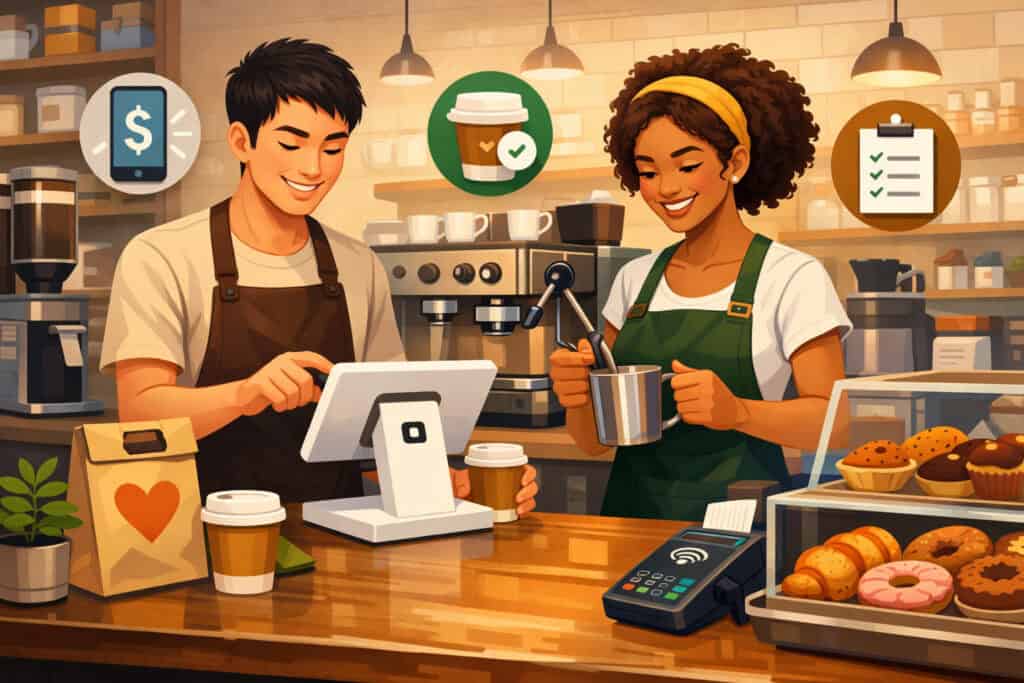
Square is often the fastest path to a modern coffee shop POS system, especially for new Washington cafés opening on a tight timeline. It’s known for quick setup, intuitive staff training, and flexible hardware that works well for counter service. Square also markets directly to coffee shops with workflow-focused positioning around streamlining orders and payments.
In practice, Square shines when you need to go live fast and keep operations simple. You can build a clean menu, set modifiers (milk, size, add-ons), run digital receipts, and get baseline reporting without weeks of onboarding.
For cafés that do farmer’s market pop-ups or mobile espresso carts, Square’s flexibility is especially useful because it handles mobile workflows naturally.
Square has also been investing in restaurant-specific improvements, and recent software updates and device launches signal a push toward more robust food-and-beverage use cases.
For example, Square introduced a dedicated handheld device positioned for on-the-floor payments and operational mobility. That matters for cafés that want line-busting during rushes or table delivery without adding friction.
Where Square can feel limited is deep, restaurant-grade complexity—multi-station kitchen routing, highly granular inventory recipes, or enterprise controls across many locations.
But for many Washington coffee shops, Square is exactly the right level of “powerful without becoming a project,” making it a strong coffee shop POS system for operators who value simplicity and speed.
3) Clover — Best for Hardware Variety and Counter-Service Flexibility
Clover is popular in café environments because it offers a range of countertop and mobile hardware options and an app marketplace that can extend functionality as you grow.
Forbes notes Clover’s broad capabilities including employee management and inventory tools, while also pointing out that setup can feel overwhelming and pricing/fees can run higher depending on how you buy it.
For Washington coffee shops, Clover often makes sense when you want a clean counter setup with a customer-facing display and fast payment flow.
The Clover Station Duo is positioned as a two-screen POS designed to let staff run checkout while customers initiate payments on the second display—useful for speeding lines and reducing awkward tip-screen confusion.
Clover can be an excellent coffee shop POS system if you choose a reputable reseller/processor arrangement and you’re clear on costs. Real-world example: a café that sells coffee, pastries, and a small retail wall (beans, mugs, brew gear) might use Clover’s base POS and add apps for loyalty, inventory, and accounting integration.
The tradeoff is that Clover experiences vary more because it’s often sold through different channels. That means support quality, contract terms, and pricing transparency can differ.
If you’re considering Clover as your coffee shop POS system, treat vendor selection like hiring: ask for total cost, contract length, what happens if you switch processors, and how support is handled.
4) Lightspeed Restaurant — Best for Inventory Detail and Multi-Concept Operators
Lightspeed Restaurant is frequently chosen by operators who want strong reporting, tighter inventory controls, and more “operator-grade” tools than entry-level systems. It’s often a fit for Washington cafés that roast, run multiple locations, or operate hybrid models—like café by day, wine/beer bar by night, or café plus retail plus online.
Lightspeed describes a restaurant POS system as the toolset restaurants use to take orders, track inventory, take payments, and manage operations.
In café reality, that translates into menu management, modifier control, detailed reporting by daypart, and performance analysis (which pastries sell best, which seasonal drinks drive margin, which hours are overstaffed). Independent reviews often highlight inventory depth and advanced reporting as differentiators.
A real-world Washington example: a Seattle-area roaster with two cafés and a wholesale program might use Lightspeed in the cafés to track ingredient usage trends while running separate systems for wholesale invoicing—or integrate where possible.
When you’re paying higher wages (Washington’s 2026 minimum wage is $17.13/hr statewide), optimizing product mix and labor coverage is one of the fastest ways to protect margins.
Lightspeed can be more expensive and more “system” than a small café needs, but for operators who care about disciplined inventory and data-driven decisions, it’s a powerful coffee shop POS system.
5) TouchBistro — Best for Café Seating, Table Service, and iPad-First Simplicity
TouchBistro is an iPad-centric restaurant platform that works well for coffee shops that behave like cafés—seating, table numbers, brunch service, and a steady dine-in mix alongside counter orders. NerdWallet describes TouchBistro as designed for both full-service and quick-service venues, including cafes.
Where TouchBistro can stand out as a coffee shop POS system is the front-of-house experience: table management, flexible ordering, and a restaurant workflow that doesn’t force a pure “counter-only” model.
If your Washington café runs weekend brunch with table service, or you operate in a tourist-heavy area where guests linger and order multiple rounds, that floor-control capability matters.
From an operational perspective, TouchBistro also fits owners who want a restaurant-oriented POS but prefer an interface many staff already understand (iPad-style). Training matters in coffee shops because turnover can be real, and every extra minute training baristas costs money and slows service.
The key decision factor: your service model. If you’re primarily a high-throughput espresso bar with a tiny footprint and 80% takeout, you might prefer a coffee shop POS system optimized for fast counter lines. If you’re a “third place” café where guests sit, study, and add items over time, TouchBistro can match the reality better.
6) Revel Systems — Best for Enterprise Controls and Operational Standardization
Revel is often considered when operators want tighter enterprise controls, standardization, and support structures that match multi-unit operations. Forbes notes Revel’s cloud-native approach and highlights features like 24/7 support and cloud backup.
For Washington coffee shops aiming to scale, the big win is consistency: standardized menus, permissions, reporting structures, and operational policies that make location #3 feel like a copy-paste of location #1.
Revel is typically a better fit when you have more moving parts—multiple revenue streams (café + retail + catering), multiple terminals, higher order volume, and more staff roles. In that environment, the coffee shop POS system becomes a management system: you’re controlling comps, voids, discounts, cash drawer behavior, and audit trails.
Revel also maintains ongoing platform updates and changelogs, signaling active development and a roadmap-driven approach. That matters for future-proofing because café tech trends are shifting quickly—more kiosk ordering, more first-party online ordering, more integrated loyalty, and (increasingly) AI-driven upsell prompts.
Downside: Revel is usually not the cheapest or simplest. If you’re a single-location café with a straightforward menu, it might feel heavy. But if your goal is to build a mini-chain across Washington, Revel can be the coffee shop POS system that helps you stay consistent and controlled as complexity grows.
7) SpotOn — Best for Marketing, Loyalty, and “Bring Guests Back” Growth
SpotOn positions itself strongly around helping independent operators grow profitably, and it has been pushing into enhanced online ordering and loyalty-driven experiences.
SpotOn announced an evolution of its online ordering solution with features like custom branding, AI recommendations, and digital loyalty—positioned to reduce reliance on third-party marketplaces.
For Washington coffee shops, this matters because repeat visits are everything. A strong loyalty loop—points, perks, bounce-back offers, and segmented messaging—can materially lift revenue without increasing foot traffic costs.
A coffee shop POS system with built-in marketing tools helps you turn first-time tourists into repeat customers, and occasional customers into regulars.
Real-world example: a café in Tacoma might run a “weekday commuter” campaign—double points from 7–9 a.m. on Tuesdays and Wednesdays. Another shop near a university might push seasonal drink drops via SMS to loyalty members, timed to finals week.
When your POS connects loyalty, ordering, and reporting, you can measure whether these campaigns actually raise ticket size or just discount revenue.
SpotOn can be especially attractive if you want a modern digital presence that feels branded and controlled. If your growth plan depends on community and repeat traffic, a marketing-forward coffee shop POS system like SpotOn deserves a serious look.
8) SkyTab — Best Value “All-in-One Bundle” for Cost-Conscious Cafes
SkyTab is frequently marketed as a feature-rich bundle at a comparatively low monthly rate, often emphasizing included online ordering, loyalty, and marketing tools. SkyTab lists core POS features like online ordering, contactless payments, customer loyalty, reporting, and inventory management.
For Washington cafés watching costs—especially with higher wage floors—bundled value can be compelling. When you’re trying to keep labor percentages healthy, locking in predictable software costs (and avoiding paying extra for every add-on) can simplify budgeting.
A coffee shop POS system that includes online ordering and loyalty without stacking extra subscriptions can lower your “tool sprawl.”
Operationally, SkyTab also promotes QR ordering and kiosk-style self-service options, which can reduce counter congestion during rushes.
For example, a café in Bellevue might use QR order-ahead for office workers: guests scan, reorder their usual, and only hit the counter for pickup—freeing baristas to focus on production rather than transaction handling.
As always, “bundle” systems require careful evaluation: confirm what is truly included, what costs extra, and what your processor terms look like. But for café owners who want an all-in-one coffee shop POS system with a strong value pitch, SkyTab can be a practical contender.
9) Rezku — Best for Quick-Service Features Like Labels, Speed, and Smartphone Control
Rezku markets directly to coffee shops with a speed-and-convenience message, including tap-to-pay, print-on-demand labels, online ordering, and smartphone access to the system.
Those details matter more than they sound like: labels reduce order errors (especially for multiple milk types), and smartphone control is useful for owner-operators who aren’t always on-site.
In a café environment, Rezku can work well when you want quick-service features—fast ordering screens, strong ticket handling, and customer-facing clarity—without paying enterprise pricing.
If you run a high-volume drive-thru espresso stand (common in parts of Washington), label printing and streamlined workflows can directly reduce remakes and speed up throughput.
A practical example: a Spokane coffee hut that does 60% flavored lattes might label cups with modifiers (extra hot, half sweet, oat milk) and route tickets cleanly to the espresso station. That’s not just “nice”—it’s how you protect speed during peak traffic.
Rezku is often mentioned among coffee shop POS system options for quick-service operators, and the key is to validate integrations you care about (accounting, delivery, online ordering) and confirm support responsiveness. If your café’s competitive edge is speed and accuracy, Rezku can be a strong fit.
10) Lavu — Best for Highly Customizable iPad POS in Food-Forward Cafes
Lavu is an iPad-based restaurant POS positioned for food businesses, and Forbes describes it as combining online ordering with inventory and other operational tools while being highly customizable.
For Washington cafés that are “coffee plus food” (breakfast sandwiches, bowls, bakery production, catering trays), customization matters because your menu and workflow are more complex than a simple espresso bar.
Lavu’s appeal as a coffee shop POS system often comes down to flexibility: custom order flows, tailored screens, and integrations that fit your operation.
If you run a café in Olympia with a rotating seasonal menu and frequent specials, you want a POS that makes menu updates painless and doesn’t break your modifier logic every time you add a new drink.
A real-world use case: a café that sells coffee, pastries, and also does catering orders might use Lavu to manage multiple ordering channels, apply custom discounts for corporate clients, and produce reporting that separates in-store vs. catering revenue. This is where customization supports business clarity.
As with any customizable coffee shop POS system, the tradeoff is setup time. Lavu can be a great match if you’re willing to invest effort upfront (or work with onboarding) to get a workflow that feels built for your café.
Implementation Checklist for Washington Coffee Shops
Choosing a coffee shop POS system is only half the job. Implementation determines whether you get faster lines and cleaner books—or a chaotic first month. The best operators treat POS rollout like an operations project, not a software install.
Start with menu architecture: build categories that match barista speed (espresso, drip, iced, blended, bakery, retail). Use modifier groups (milk, size, temp, sweetness) and set defaults to reduce taps.
Then handle tax categories and reporting mapping so your sales tax treatment and reporting exports are clean—Washington DOR emphasizes correct collection and reporting.
Next, define roles and permissions (barista, shift lead, manager, owner) and set comp/void rules. This reduces shrink and keeps audit trails.
Then configure tips and service charges correctly, especially if you do auto-gratuity for large orders or events; Washington L&I guidance exists for tips/service charges, and clean records prevent disputes.
Finally, run a structured launch:
- Soft open with staff-only test transactions
- Simulate rush-hour with “fake lines”
- Verify online ordering tickets route correctly
- Reconcile end-of-day reports against bank deposits
- Train staff on refunds, voids, and offline procedures (if supported)
This is how you turn a coffee shop POS system into an advantage instead of a recurring headache.
Future Predictions for Coffee Shop POS Systems in Washington
The next wave of coffee shop POS system evolution is about labor efficiency and first-party data. With Washington’s higher wage floor (and regular updates), operators will keep investing in tech that reduces low-value labor and increases throughput per barista.
Expect more:
- Self-service ordering (kiosks + QR) to reduce counter congestion
- First-party online ordering to avoid third-party marketplace fees and own customer relationships (SpotOn’s push in this direction is a signal)
- Smarter upsells (suggest pastry pairing, “make it a large,” add cold foam) driven by performance data
- More mobility (handheld devices for line-busting and tableside), as hardware trends show
- Deeper integrations between POS, loyalty, and accounting so weekly P&L becomes faster and more accurate
In other words: the best coffee shop POS system in 2026 isn’t just a register—it’s your margin machine. Washington cafés that adopt the right workflow tech will be able to pay competitive wages, keep service fast, and still protect profitability.
FAQs
Q.1: What is the best POS system for a small Washington coffee shop?
Answer: For most small shops, a coffee shop POS system should be easy to train on, fast at the counter, and affordable to start. Square is often a strong fit for new cafés because it’s quick to launch and widely used in counter-service environments.
If your shop expects heavy online ordering or rapid growth, Toast can be worth the extra setup because it’s designed for restaurant-style operations and includes documented offline behavior.
Q.2: Do POS systems automatically handle Washington sales tax correctly?
Answer: Not automatically—your setup matters. Washington’s Department of Revenue requires proper collection and reporting, and correct coding affects local tax distribution.
A coffee shop POS system can apply tax rules, but you must configure item categories, locations, and reporting correctly. Many operators also validate POS reports with their bookkeeper in month one to ensure filings align.
Q.3: Can a POS help with tips and service charge compliance?
Answer: Yes, if it separates tips from service charges cleanly and produces consistent reports. Washington L&I provides guidance on tips and service charges, and clear recordkeeping reduces disputes. Choose a coffee shop POS system with transparent tip reporting and payroll exports.
Q.4: What POS features matter most for high-volume espresso bars?
Answer: In high-volume environments, prioritize speed: fast order entry, smart modifier defaults, tap-to-pay, reliable ticket routing, and offline options if available.
Toast’s offline mode documentation is relevant here. Labels (like Rezku highlights) can also reduce remake rates when you have many custom drinks.
Q.5: Should a Washington café choose a POS with built-in online ordering?
Answer: If order-ahead is meaningful (commuter corridors, downtown, campus areas), yes. Built-in ordering reduces dependency on third parties and keeps your guest data.
Systems like Square, Toast, SpotOn, and SkyTab heavily emphasize online ordering capabilities. A coffee shop POS system with first-party ordering can also support better loyalty campaigns.
Conclusion
The best POS systems for Washington coffee shops aren’t “best” in the abstract—they’re best for your workflow, your rush patterns, your staffing model, and your growth plan. If you want a restaurant-grade operating system built for scale, Toast is a top-tier coffee shop POS system option.
If you want fast setup and flexible counter tools, Square is often the most practical starting point. If hardware variety and app-based extensions matter, Clover is compelling—especially with a strong customer-facing checkout experience.
For inventory discipline and deeper reporting, Lightspeed Restaurant deserves attention; for café seating and table workflows, TouchBistro can match the “café reality” better.
If marketing and loyalty are your growth engine, SpotOn’s direction is aligned with owning your guest relationship. And if you want bundled value, SkyTab and Rezku can offer practical, café-friendly toolsets.
Whatever you choose, treat setup as seriously as you treat your espresso calibration. Configure sales tax reporting thoughtfully (Washington DOR expectations are clear), implement tip/service charge handling cleanly, and train your team with rush simulations before launch.
Do that—and your coffee shop POS system won’t just process payments. It will help you run a faster line, build repeat customers, and protect margin in a high-wage, high-expectation market.